
Digital Banking Fraud Surges in India: 5 Threats You Must Know
RBI flags sharp rise in cyber fraud; phishing, OTP theft, and SIM swaps top the list
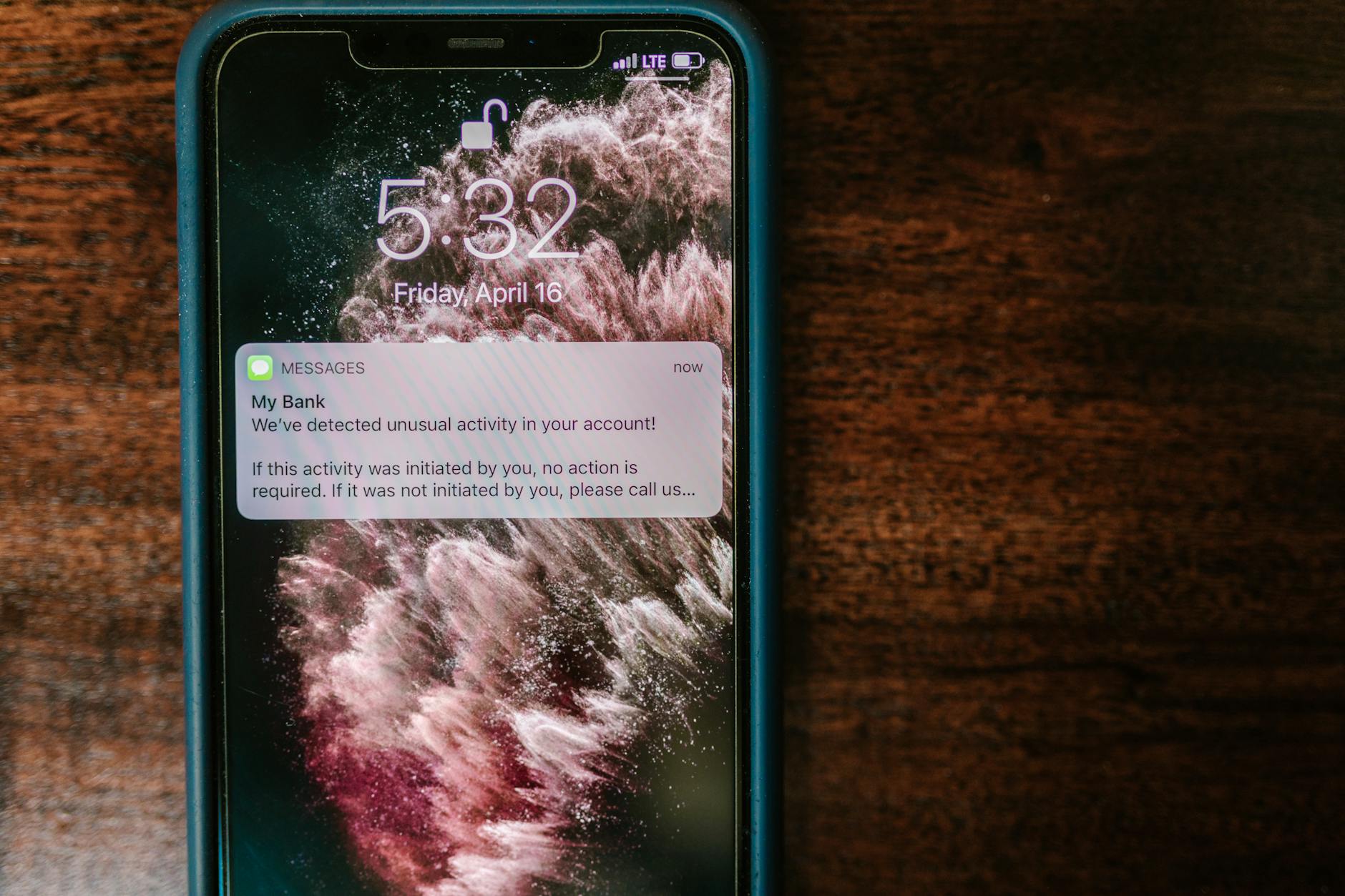
Digital Banking Fraud: A Growing Crisis for Indian Account Holders
Digital banking fraud has exploded across India as millions shift to online platforms for everyday transactions. The Reserve Bank of India has flagged a sharp rise in cyber fraud cases over the past two years, with victims losing crores to sophisticated scams targeting everyone from salaried professionals to business owners.
Fraudsters are evolving faster than defences. They exploit phishing schemes, fake websites, and social engineering tactics to drain accounts within minutes. Understanding these threats is no longer optional for anyone using digital banking services.
The Five Most Common Digital Banking Frauds
1. Phishing and Fake Banking Websites
Phishing remains the most widespread digital banking fraud in India. Scammers send emails or SMS messages that look like official bank communication, asking you to verify account details or confirm transactions. These messages contain links to fake websites designed to perfectly mimic your bank's portal.
The moment you enter login credentials on these fraudulent sites, cybercriminals gain immediate access to your account. They can transfer funds, take loans in your name, or steal your identity for further crimes. The sophistication of these fake websites has improved dramatically, making them difficult even for cautious users to spot.
2. One-Time Password (OTP) Theft
Your OTP is the final barrier against unauthorized transactions. Fraudsters use multiple tactics to steal it: they call pretending to be bank staff, send fake security alerts, or install malware on your phone. Some even approach victims in person, claiming account problems and requesting the OTP received.
Never share your OTP with anyone, including supposed bank employees. Legitimate banks will never ask for this information over phone or email. If you receive an unexpected OTP, treat it as a red flag and contact your bank immediately through official channels.
3. Malware and Mobile Banking Trojans
Malicious software is increasingly targeting mobile phones across India. Trojans like Anubis and SpyNote capture banking credentials, monitor your screen, and execute unauthorized transactions without your knowledge. These malware programs often disguise themselves as legitimate apps—gaming apps, utility tools, or even government services.
Once installed, they run silently in the background, recording everything you type and see. Advanced variants disable security warnings, allowing fraudsters to change your registered mobile number and lock you out of your own account completely.
4. SIM Swap and Account Takeover
In SIM swap attacks, fraudsters contact your mobile network provider pretending to be you, convincing them to transfer your phone number to a new SIM card. With control of your mobile number, they reset banking passwords, intercept OTPs, and drain accounts. This attack is particularly dangerous because most banks link account recovery to your registered mobile number.
Account takeover also happens through credential stuffing—using passwords leaked from other websites to access your bank account. If you reuse passwords across multiple platforms, you face high risk.
5. Social Engineering and Call Centre Fraud
Scammers call customers pretending to be bank officials, credit card representatives, or tax authorities. They create urgency by claiming suspicious activity on your account or that you owe government dues. Under pressure, victims share sensitive information or click malicious links sent via WhatsApp or email.
Some sophisticated operations run fake call centres that perfectly mimic bank customer service, complete with accurate customer data obtained from leaked databases. This makes it extraordinarily difficult for victims to realize they are being scammed until money has already vanished.
How to Protect Your Digital Banking Accounts
Strong Authentication Practices
Enable two-factor authentication on all banking and financial accounts. Use biometric authentication—fingerprint or face recognition—wherever available, as it is significantly harder to compromise than passwords. Create unique, strong passwords for each financial account, combining uppercase, lowercase, numbers, and special characters.
Secure Your Devices
Keep your phone and computer updated with the latest security patches. Download apps only from official app stores. Before installing any app, check the permissions it requests—your bank app should never ask for access to your camera, contacts, or location data.
Use reputable antivirus software and avoid public Wi-Fi networks for banking. If you must use public Wi-Fi, always connect through a virtual private network first.
Vigilance Over Communication
Banks never ask for passwords, OTPs, or PIN codes via email, SMS, or phone calls. If you receive such requests, report them to your bank immediately. Always verify links before clicking by hovering over them to see the actual URL. Type your bank's website address directly into the browser rather than clicking links from emails.
Monitor Your Accounts Regularly
Check bank statements and transaction history at least weekly. Set up account alerts for all transactions above a certain threshold. Review your registered mobile number, email address, and nominated accounts regularly to ensure fraudsters have not made unauthorized changes. If you notice any unauthorized transaction, report it to your bank within the prescribed timeframe to maximize recovery chances.
Additional Protective Measures
Consider using separate devices or browsers for banking—one dedicated phone or computer used only for financial transactions. Register for SMS alerts for all account activities. Never leave your phone or computer unattended when accessing banking services. If you suspect compromise, change your password immediately from a different, secure device and contact your bank's helpline.
What to Do If You Fall Victim
Act immediately if you believe your account has been compromised. Contact your bank's customer service helpline without delay—most banks have 24/7 fraud response teams. Block your debit and credit cards instantly. Change all passwords from a secure device.
File a formal complaint with your bank in writing and request a fraud investigation. Lodge a report with the Cyber Crime Complaint Portal at cybercrime.gov.in and file an FIR with your local police if the amount lost is substantial. Document everything: screenshots of fraudulent communications, transaction records, and correspondence with your bank. This documentation will be crucial during investigation and potential recovery.
Based on reports from Google News — Finance India.
Impact analysis
MIXEDRising digital banking fraud creates urgency for banks and IT firms to strengthen cybersecurity infrastructure. This trend could drive increased spending on fraud prevention technology and digital security solutions across the BFSI sector.
- →Banks may face higher operational costs for fraud prevention, customer reimbursement, and security infrastructure upgrades
- →IT companies offering cybersecurity, fraud detection, and authentication solutions could see increased demand from financial institutions
- →Fintech companies and digital payment platforms may need to invest heavily in security measures to maintain customer trust
What to watch next
Watch for RBI announcements on new security mandates for banks and digital payment platforms. Also monitor quarterly results of major banks for any uptick in fraud-related provisioning or cybersecurity spending, which could impact profit margins.
Frequently asked
Which banks are most affected by digital banking fraud in India?+
The article does not name specific banks, but the problem affects the entire banking sector. All major banks including HDFC Bank, ICICI Bank, SBI, and Axis Bank have reported rising fraud cases. Customers across all banks need to remain vigilant.
Will banks reimburse money lost to digital fraud?+
It depends on when you report the fraud. If you report an unauthorized transaction immediately, banks are more likely to investigate and potentially reimburse. However, if you shared your OTP or password willingly, or delayed reporting, recovery becomes difficult. RBI guidelines provide some protection, but prevention is always better.
Which IT companies benefit from increased cybersecurity spending by banks?+
Major IT services companies like TCS, Infosys, Wipro, and HCL Tech offer cybersecurity and fraud detection solutions to banks. Specialized cybersecurity firms and fintech companies providing authentication solutions could also see increased demand as banks strengthen their defenses.
Should I stop using digital banking because of fraud risks?+
No, digital banking is safe when you follow proper security practices. Enable two-factor authentication, never share OTPs, use strong unique passwords, and regularly monitor your accounts. The convenience and efficiency of digital banking far outweigh the risks if you remain vigilant.
Based on reports from Google News — Finance India.
More in Markets
View all →
EPFO 3.0 Proposal to Include Gig Workers in Pension Scheme

EPFO 3.0 Proposal to Include Gig Workers in Pension Scheme

EPFO 3.0 Proposal Aims to Include Gig Workers in Pension Scheme

EPFO 3.0 Proposal to Include Gig Workers in Pension Scheme

EPFO 3.0 Proposal Aims to Include Gig Workers in Pension Scheme